
PinWoofer - Jersey Jack Pinball - Harry Potter Amplifier Settings
Posted by PinWoofer on Jun 13th 2025
What does "o'clock" Mean?
https://pinwoofer.com/content/PW-Hour-Hand-Instructions.pdf
Below are the initial / recommended adjustments for Harry Potter, all trim packages:
Coin door / service menu volume set to 35 (usable range 10-max).
Vital Adjustments:
- PinWoofer Amplifier Controls:
- Bass Freq to 11 o'clock position
- Bass Vol 6 o'clock position / max
- Bbox Vol 12 o'clock position
- Treble 12 o'clock position
- Vol 4 o'clock position
- System Menu:
- Maximum Volume Effect - default to 5. If the game seems "quiet" overall, this adjustment can be increased. The highest value in the menu is 20, but this is extreme. Try to achieve greater overall loudness in the 6-12 range.
- Music Mix 75
- Speech Mix 75
- Alternate Speech Mix 75
- Fanfare Mix 75
- FX Mix 75
- Common FX Mix 75
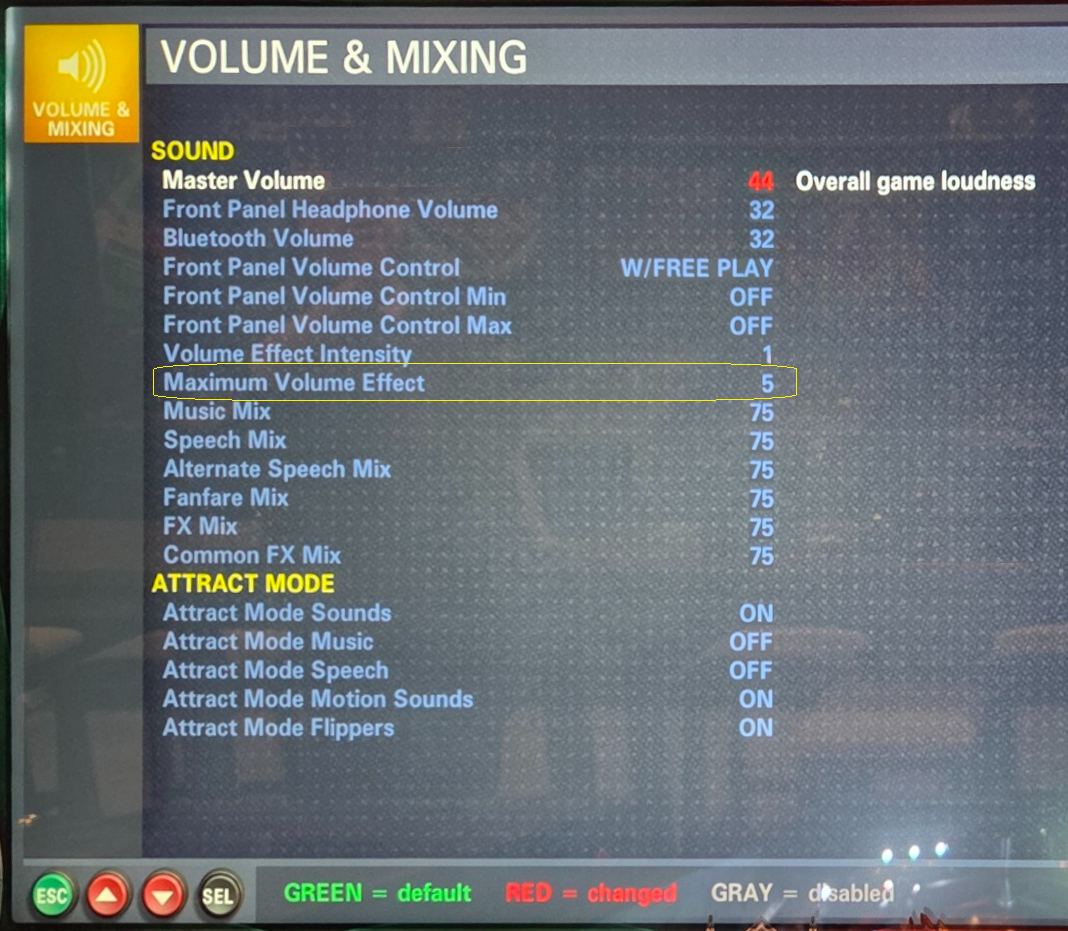
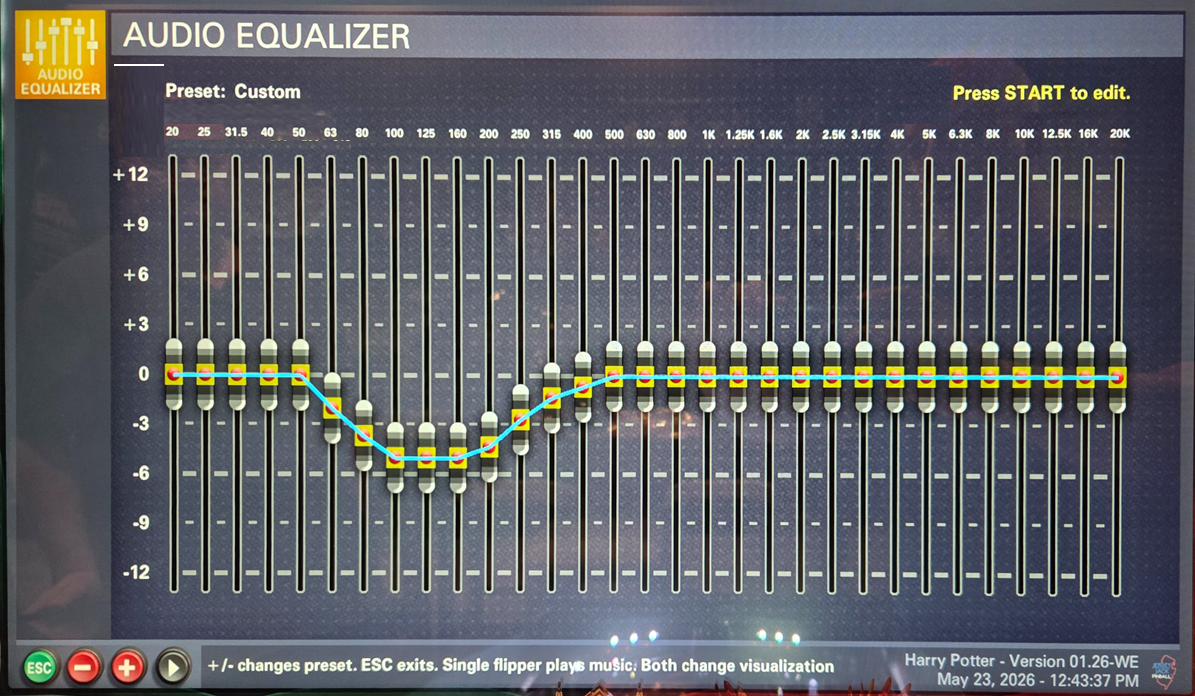
- Graphic EQ Settings - A further reduction in the "dipped" sliders can be made if clipping or popping exists / persists at high volume levels:
After the initial / recommended adjustments above are complete, and on the amplifier:
- Decrease or increase the backbox volume and / or the master volume if you need more loudness.
- If you are playing loudly and hear any high bass flutter in the cabinet speaker (particularlty in punch effects), reduce the Bass Freq control slightly to lessen that effect.
If you need assistance, please email PinWoofer@PinWoofer.com.