
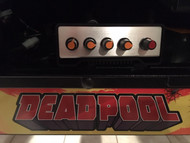
PinWoofer - Stern - Spike-2 - Deadpool Amplifier Settings
Posted by PinWoofer on Oct 3rd 2020
- System Menu:
- Place all audio settings to default.
- Set the backbox speaker impedance to 8 Ohm
- Music Attenuation: 0
- Speech Attenuation: 0
- Amplifier:
- Coin door / menu volume set to 30 (any service menu volume setting is OK, go with what sounds best)
- Bass Freq to 1 o'clock position.
- Bass Vol to 6 o'clock position.
- Bbox Vol 12 o'clock position.
- Treble 1 o'clock position.
- Vol 3 o'clock position (feel free to increase if you would like to adjust at a louder intensity).